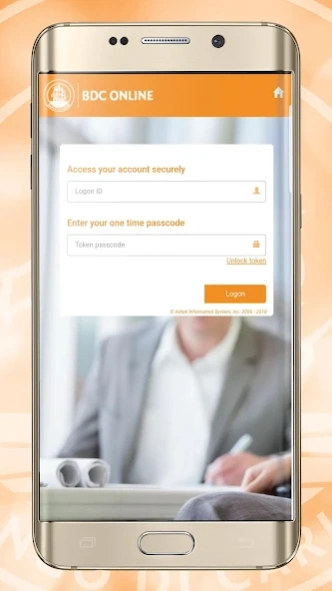
About Banco di Caribe Mobile Banking
Banco di Caribe Mobile banking Safe and Convenient, anytime, anywhere. Banco di Caribe Mobile banking enables you to bank on your internet-enabled smartphone or tablet anytime and anywhere you want, with a high level of
Banco di Caribe Mobile banking
Safe and Convenient, anytime, anywhere.
Banco di Caribe Mobile banking enables you to bank on your internet-enabled smartphone or tablet
anytime and anywhere you want, with a high level of security.
Through the Banco di Caribe mobile banking free app you will be able to:
Logon by using your existing BdC Online Logon ID and the one time passcode provided by your
security token
Pay your bills with ease
Transfer funds between your own accounts
Make local transfers to BdC and other bank accounts
Make inter-island transfers
Make international transfers
Schedule payments (weekly, monthly, quarterly and yearly)
Approve all transactions at once
View your online statements and interest letters
View your Banco di Caribe credit card balances and make payments
View your investment portfolio
Activate and deactivate your debit card for international use
Block and unblock your account for card transactions in case your card is missing or has been
stolen
Other great features available through our Banco di Caribe Mobile banking app are:
Our ATM locator
The in app online help function
The in app Frequent Asked Questions (FAQ) function
The possibility to check the exchange rate of the day
The responsive screen adjustment on all smartphones and tablets
How to use BdC Mobile banking app
Requirements:
To use the Banco di Caribe Mobile app, you must:
Be a customer of Banco di Caribe with an active current or savings account
Be enrolled for the BdC Online service
Have received your BdC Online security token after your enrolled for BdC Online
Have activated your security token
Access:
If all of the above is in place, and you have downloaded the app on your smartphone or tablet, click
on the ‘Mobile banking’ button. Subsequently, choose the island where your accounts are registered,
after which you follow the same steps when logging on the BdC Online web-based version.
Previous Versions
Here you can find the changelog of Banco di Caribe Mobile Banking since it was posted on our website on 2025-09-16 13:05:04.
The latest version is 1.0.17 and it was updated on 2026-10-06 21:38:44. See below the changes in each version.
Banco di Caribe Mobile Banking version 1.0.17
Updated At: 2025-03-26
Changes: Allow Screenshot in application.
Disclaimer
Official Google Play Link
We do not host Banco di Caribe Mobile Banking on our servers. We did not scan it for viruses, adware, spyware or other type of malware. This app is hosted by Google and passed their terms and conditions to be listed there. We recommend caution when installing it.
The Google Play link for Banco di Caribe Mobile Banking is provided to you by apps112.com without any warranties, representations or guarantees of any kind, so access it at your own risk.
If you have questions regarding this particular app contact the publisher directly. For questions about the functionalities of apps112.com contact us.